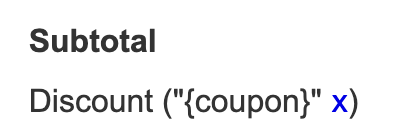
By default, CartGenie’s checkout template has an “x” next to the discount code in the order summary so your customers can remove it if desired. However, if you used an older template, your site might not have this feature. Here is how to do it:
To allow a customer to remove a discount code they’ve applied at checkout, you can add an “x” or any sort of element to your CartGenie checkout page in Webflow.
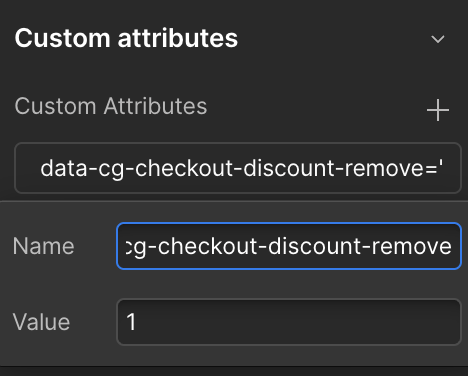
Then, simply add the following custom attribute:
Name:
JavaScript
data-cg-checkout-discount-removeValue: “1”