
Webflow doesn’t make it super obvious, but you’re able to downgrade your Webflow Ecommerce plan to a CMS plan by simply turning off the checkout.

If your Webflow Ecommerce site is live and you plan on converting it to CartGenie, then we recommend duplicating your Ecommerce site and then turning off checkout and integrating CartGenie on that duplicated site. This allows you to keep receiving sales while you work on the new site & it allows you to revert back to the old site if you ever need to.
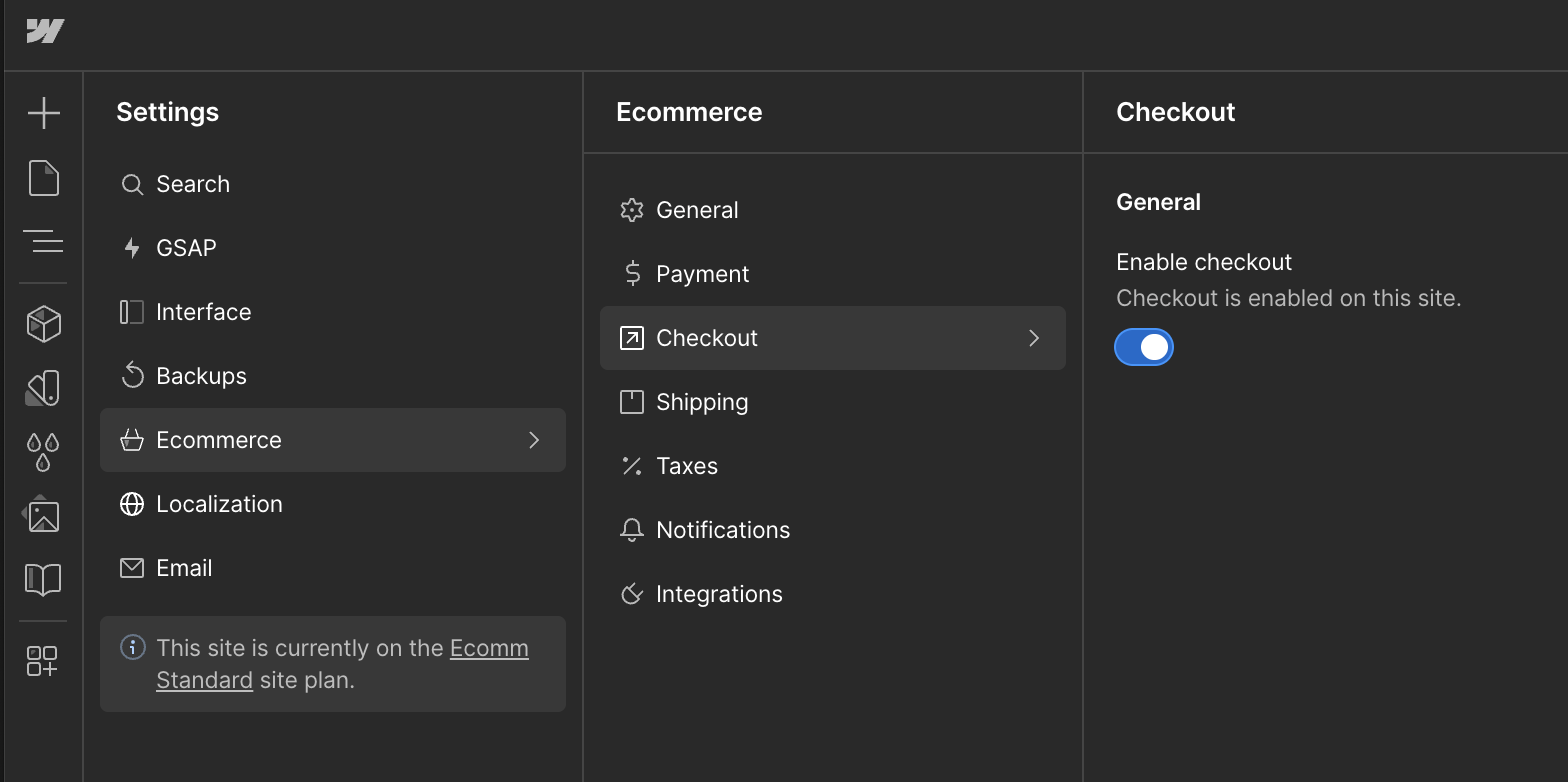
To use a CMS plan when Ecommerce has already been enabled on your site, you will need to go into the Webflow designer and then click the “Settings” icon in the bottom left menu bar (not the site settings seen from the dashboard).

Click on Ecommerce > Checkout
Toggle off the “Enable Checkout” option.
Now Publish your site.
You should now be able to go into your Site Settings > Plans page and downgrade your plan.