In CartGenie, customer profiles and orders store several different “name” fields. While they may look similar at first, each one serves a different purpose – and they can legitimately differ even when orders come from the same email address.
This article explains where each value comes from, how it’s used, and why you might see differences across orders.
These fields are captured on the first order and do not change for each subsequent order by the customer.
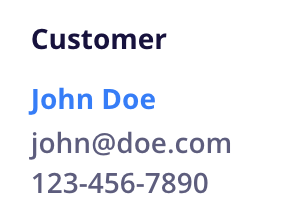
Source: The Email field from checkout on the customer’s first order
How it works:
The customer email is the primary identifier for every customer profile
All orders, history, and activity are tied to this email
Once created, the email does not change automatically on future orders
It can only be changed manually by editing the customer profile
Even if a shopper enters a different name or address on later orders, CartGenie will still attach those orders to the same customer profile as long as the email matches.
Source: The Billing Name from checkout on the customer’s first order
Important details:
This value is set once, during the first purchase
It does not change automatically on future orders
It can only be updated by manually editing the customer profile
Why Billing Name Is Used
CartGenie intentionally uses the billing name (not shipping name) to establish the customer’s identity. The reason is because someone may be purchasing a gift for another person. By using billing name, CartGenie assumes the payer is the true customer and builds the customer profile accordingly.
Source: The Phone field from checkout on the customer’s first order
How it works:
Set on the first purchase
Does not change automatically on future orders
Can be edited manually in the customer profile
Just like Customer Name and Email, this field is meant to represent the long-term customer, not individual shipments.
These fields are captured per order and may change every time.
Shipping details reflect where the current order is being sent, not who the customer is.
This allows customers to:
Ship to different locations
Send gifts to others
Use alternate recipients
Place orders for multiple people
All while keeping the same customer profile.
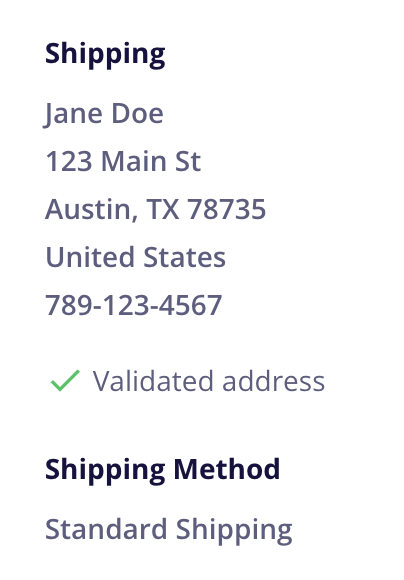
Entered at checkout for that order in the primary Name field.
Entered at checkout for that order in the shipping address fields
Entered at checkout for that order in the phone field.
These fields are captured per order and may change every time.
Billing information represents the payer for that specific transaction. While the first billing name establishes the Customer Name, future billing names are stored only on the individual orders.
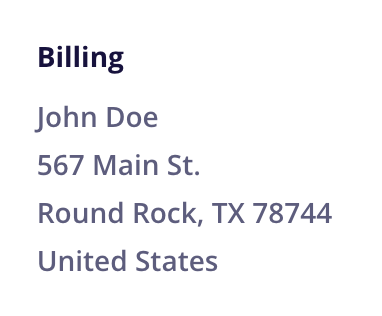
Entered at checkout for that order in the Billing Name field.
Entered at checkout for that order in the Billing Address fields.
This is normal behavior and usually happens when:
Customers ship gifts to other people
Businesses order on behalf of clients
Customers use multiple delivery locations
Someone forgets to check “Billing same as shipping”
Different family members place orders using the same email
Even though the shipping or billing name may change, CartGenie keeps everything tied together using the original email-based customer profile.
