
If you added a Webflow form to your CartGenie product page template inside of the cg-section div, then you might have noticed that it won’t work properly. That is CartGenie uses Webflow form elements for our product info / add to cart flow and so we modify these elements to prevent them submitting to Webflow.
However, with a little fix you can still embed a Webflow form inside of this container!

Note: This only affects forms inside of the cg-section layer. Any form outside of that wrapper will not be affected by this issue.
How to Fix
In Webflow, open your Product template page and select the Form layer (not the Form Block)
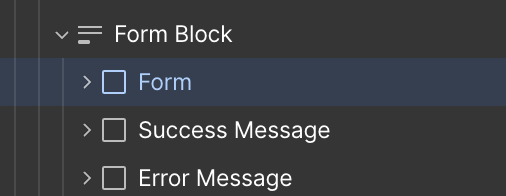
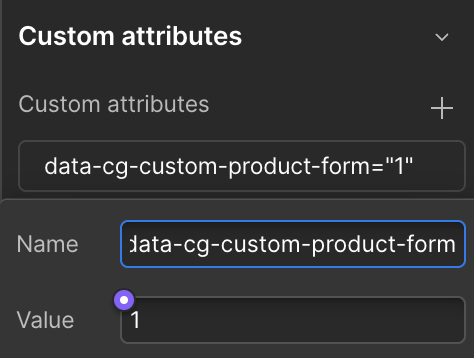
Then, in the layer Settings panel, add a custom attribute:
Name:
data-cg-custom-product-formValue:
1It should look like this:
Publish your site to test your form!