Subscription products create an ongoing relationship with your customers, but each successful renewal is still treated as its own order inside CartGenie. This allows you to manage fulfillment, refunds, shipping, tracking, inventory, and reporting for every renewal independently while still keeping everything connected to the original subscription.
All subscriptions can be viewed from the Subscriptions section of the CartGenie dashboard.
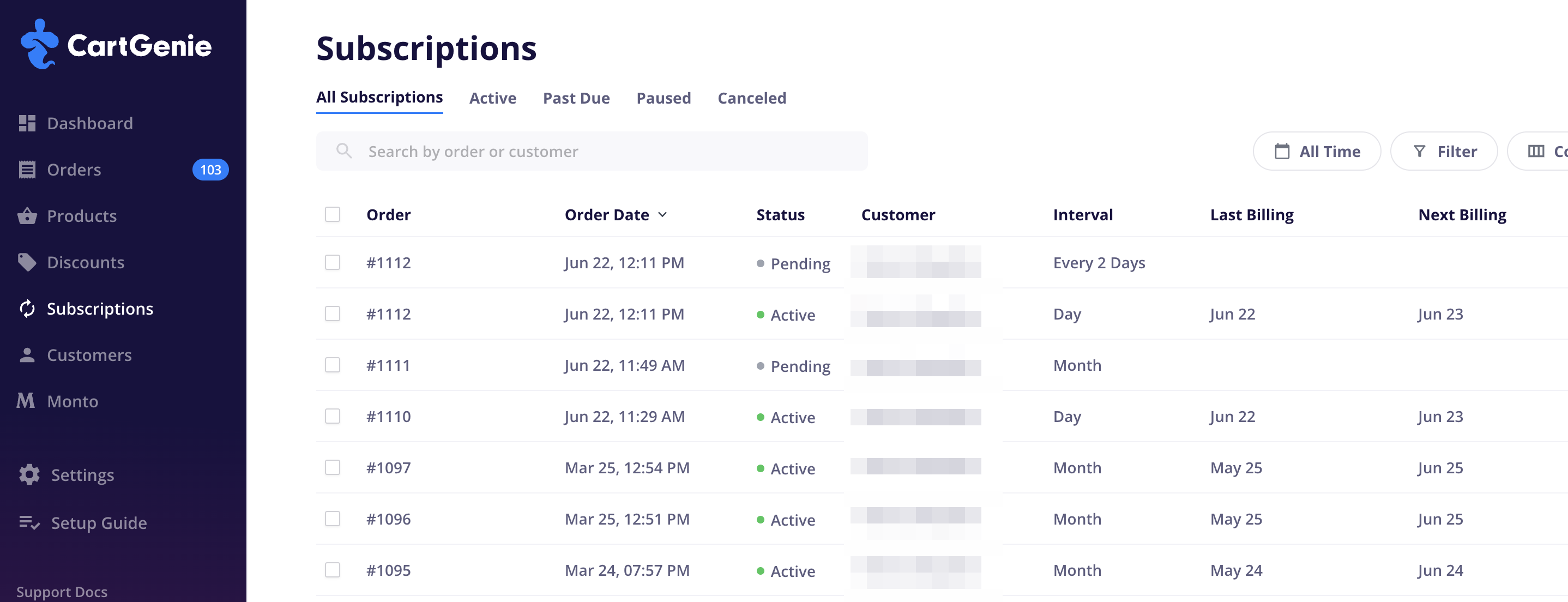
Here you can see important information including:
Subscription status (Active, Paused, or Canceled)
Customer information
Products included in the subscription
Billing interval
Upcoming renewal dates
Subscription history
The Subscriptions section is the primary place for managing the ongoing subscription itself.
Every successful subscription renewal automatically creates a new order in the Orders section of CartGenie.
These renewal orders behave like standard orders and can be fulfilled, refunded, canceled, shipped, and tracked independently
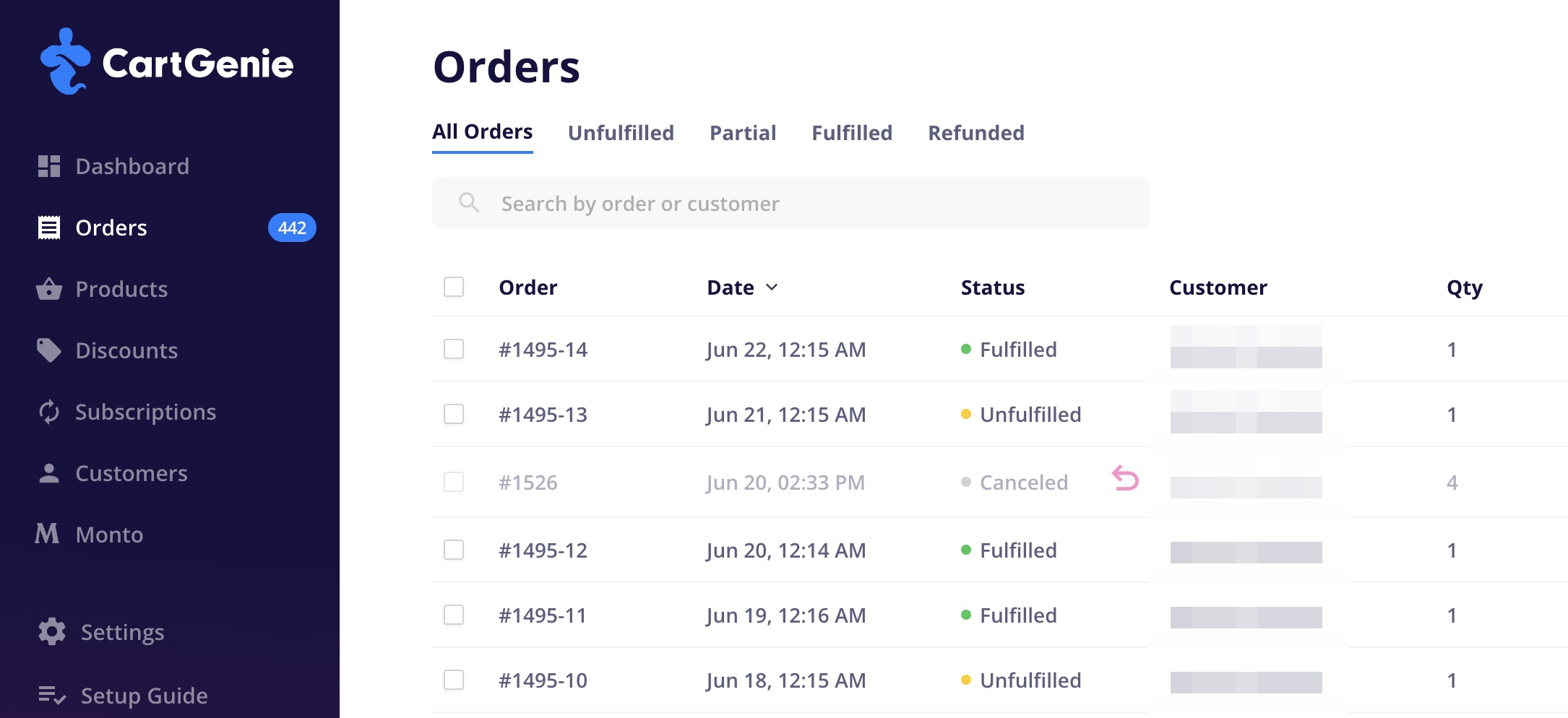
Subscription renewal orders use a suffix to identify which renewal generated the order.
Examples:
#1001-1 = First renewal for subscription order #1001
#1001-2 = Second renewal for subscription order #1001
#1001-5 = Fifth renewal for subscription order #1001
If the original order contains multiple subscriptions, a letter is added to distinguish them:
#1001-2A = Second renewal for the first subscription in order #1001
#1001-2B = Second renewal for the second subscription in order #1001
This makes it easy to identify both the original order and the renewal sequence.
Subscription renewals trigger many of the same workflows as other CartGenie orders.
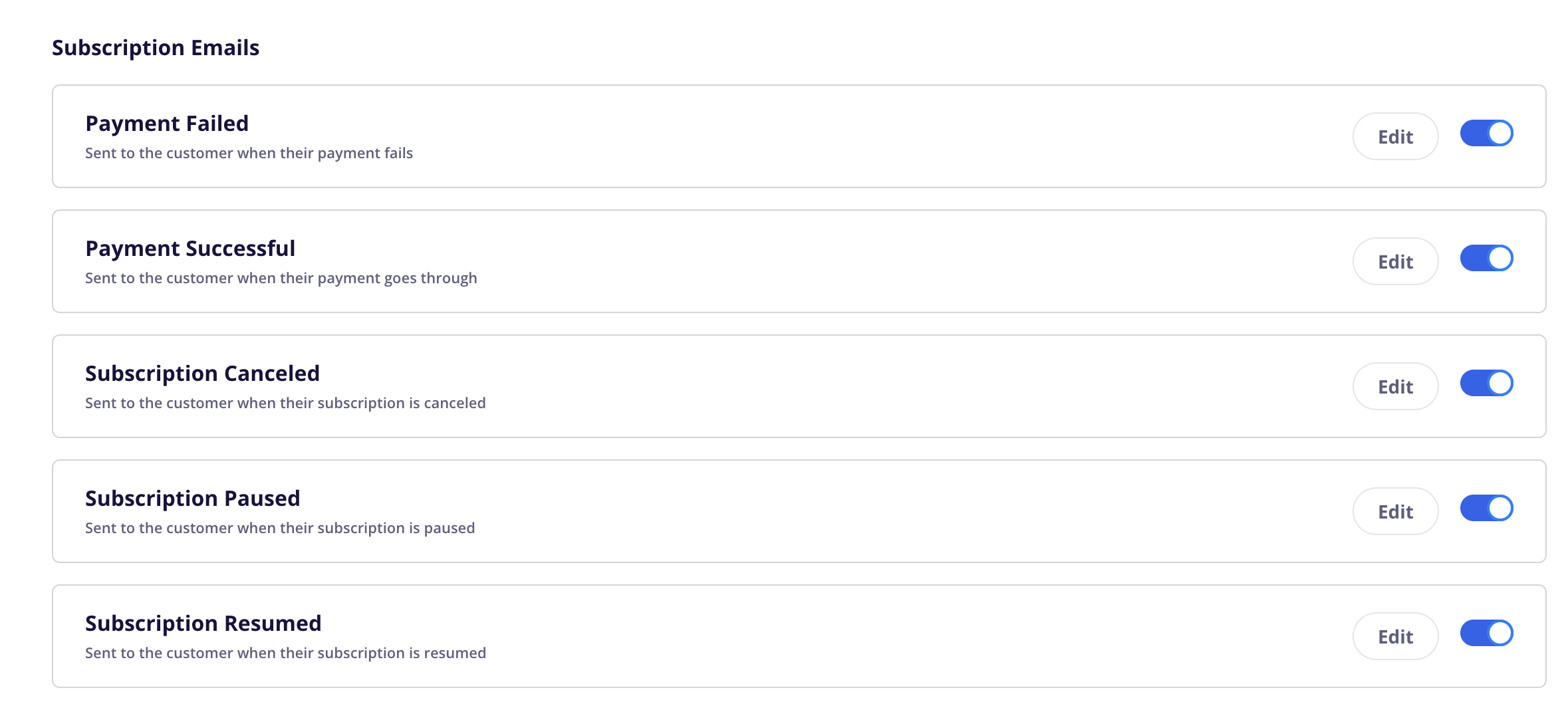
When a renewal is successfully charged:
The customer receives the Payment Successful email.
The customer receives the Subscription Renews Soon email if it is enabled and configured.
Store administrators receive the Order Received notification email.
Webhooks are triggered.
Zapier automations are triggered.
Shippo integrations and fulfillment workflows are triggered.
Any other order-based integrations continue to function normally.
This allows subscription renewals to fit seamlessly into your existing operational processes.

Each renewal order has its own:
Payment status
Fulfillment status
Shipping information
Tracking number
Order timeline
Subscription renewal orders can be fulfilled exactly like any other order in CartGenie.
For example, a customer with a monthly coffee subscription may receive a new renewal order every month, each with its own shipment and tracking number.
Subscription renewal orders affect inventory the same way as standard orders.
If inventory tracking is enabled for a product, inventory will be deducted each time a subscription renewal order is successfully created. This helps ensure stock levels remain accurate as recurring orders are processed over time.
Subscription renewal orders appear in the Orders section alongside your other orders and can be managed using the same tools and workflows.
You can:
Search for renewal orders
Filter renewal orders
Export renewal orders
Fulfill orders
Add tracking numbers
Refund orders
Cancel orders
This allows subscription orders to fit seamlessly into your existing order management process.
The original order contains timeline events for subscription activity and renewal orders.
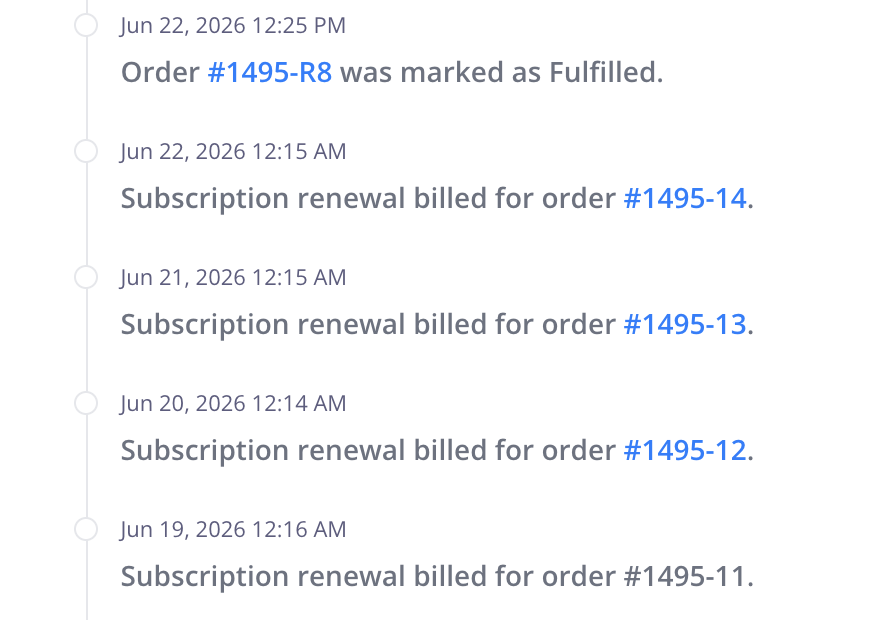
Each renewal event includes a direct link to the corresponding renewal order, making it easy to:
Review past charges
View fulfillment history
Access tracking information
Audit subscription activity over time
Refunds apply only to the specific renewal order being refunded.
For example, if a customer has been successfully charged for six months and you refund the sixth renewal, only that individual payment is refunded.
Previous renewal payments remain unchanged.
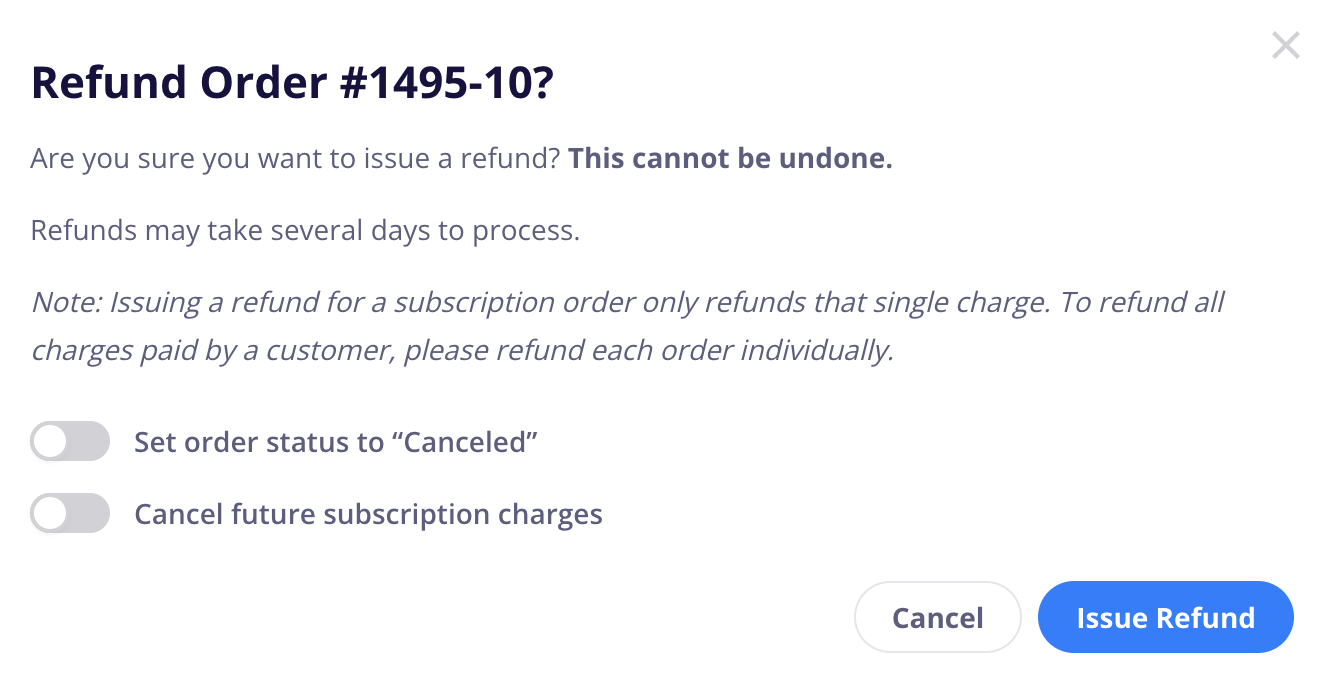
Refunding a renewal order does not automatically cancel the subscription unless you enable the option in the refund dialog to cancel the subscription as well.
This allows you to issue a one-time refund while keeping future subscription renewals active.
Canceling an individual order only changes the status of that specific order.
It does not cancel the customer’s subscription.
If you want to stop future renewals, you must also cancel the subscription by enabling the option in the cancellation dialog or by canceling the subscription directly from the Subscriptions section.
This separation allows you to cancel fulfillment of a specific shipment while allowing future renewals to continue.
Canceling a subscription prevents future renewal orders from being created.
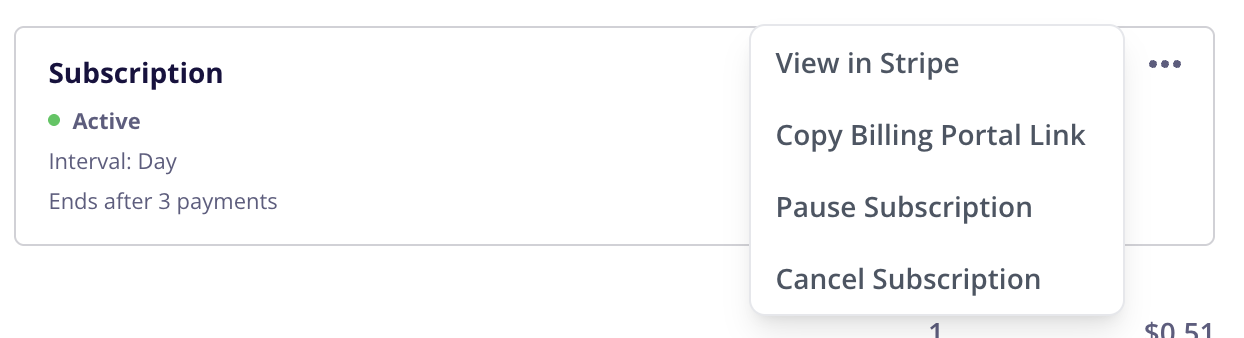
However, canceling a subscription does not affect renewal orders that have already been generated. Any existing renewal orders remain in CartGenie and can still be fulfilled, refunded, canceled, or otherwise managed like normal orders.
For example, if a subscription renewal order was successfully created yesterday and the subscription is canceled today, the renewal order will remain unchanged while future renewals will no longer be generated.
It is important to understand the difference between subscriptions and orders:
Subscriptions control future billing and renewal behavior.
Orders represent individual charges and shipments.
Actions taken on an individual order generally affect only that order unless you explicitly choose to update the subscription as well.
This gives you complete control over individual renewals while preserving the customer’s ongoing subscription when appropriate.
