
The Canceled status is used for orders that should no longer move forward. This status can only be applied manually by a team member, so orders are never canceled automatically by CartGenie.
Canceling an order is recommended when the order will not be fulfilled.
For example, you may cancel an order if:
The customer never completed payment
The customer changed their mind before fulfillment
The item is discontinued and not able to be shipped
The order is no longer valid
If an order is unpaid or has already been refunded, canceling it will also exclude it from your sales stats. This helps keep your reporting accurate by removing orders that did not result in completed revenue.
How to cancel an order
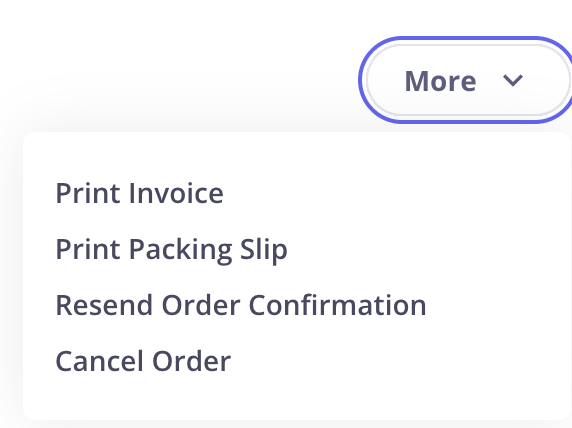
To cancel an order, open the order from your CartGenie dashboard. Click the More dropdown, then select Cancel Order. You will then be given the option to either Cancel Order or Cancel and Refund.
If you refund an unfulfilled order, you will also see the option to cancel it as well.
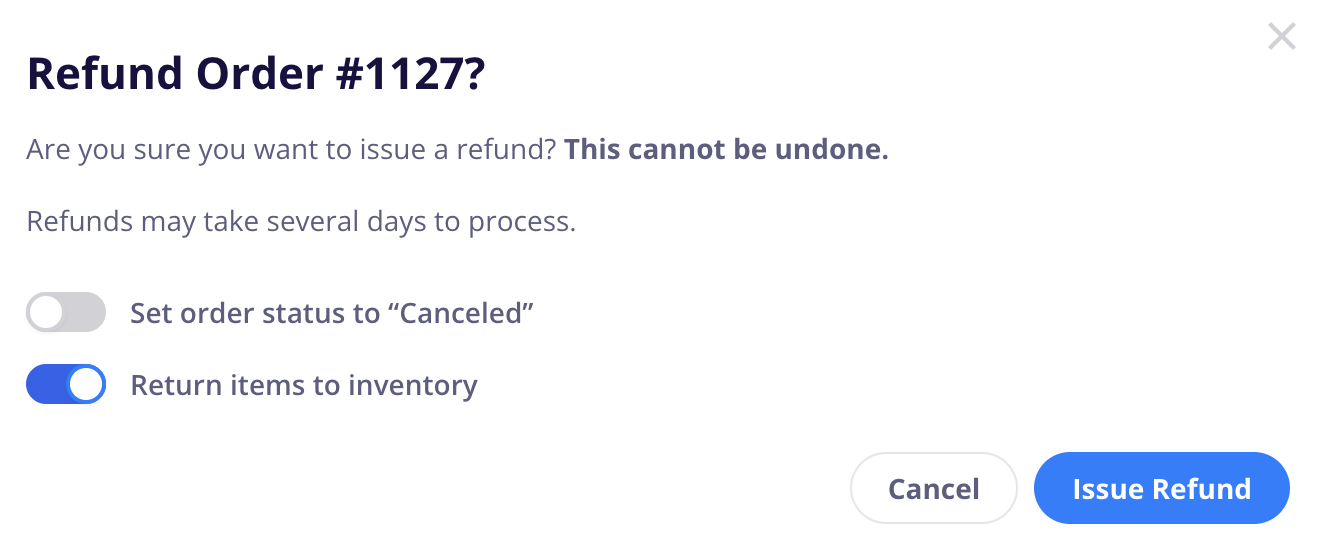
Use Cancel Order when you only need to mark the order as canceled. Use Cancel and Refund when the customer has already paid and you want to refund the payment while canceling the order.