There are a few requirements in order for CartGenie to work with your Webflow site. Be sure your current plan has room for the following items to be added to your site:
2 Pages (checkout, confirmation)
3 CMS Collections (products, product options, categories)
24 Custom Fields within a collection (including 4 Reference Custom Fields)
(Varies by Usage) CMS Items
1 item for each product
1 item for each variant option value (such as small, medium, red, yellow)
1 item for each category
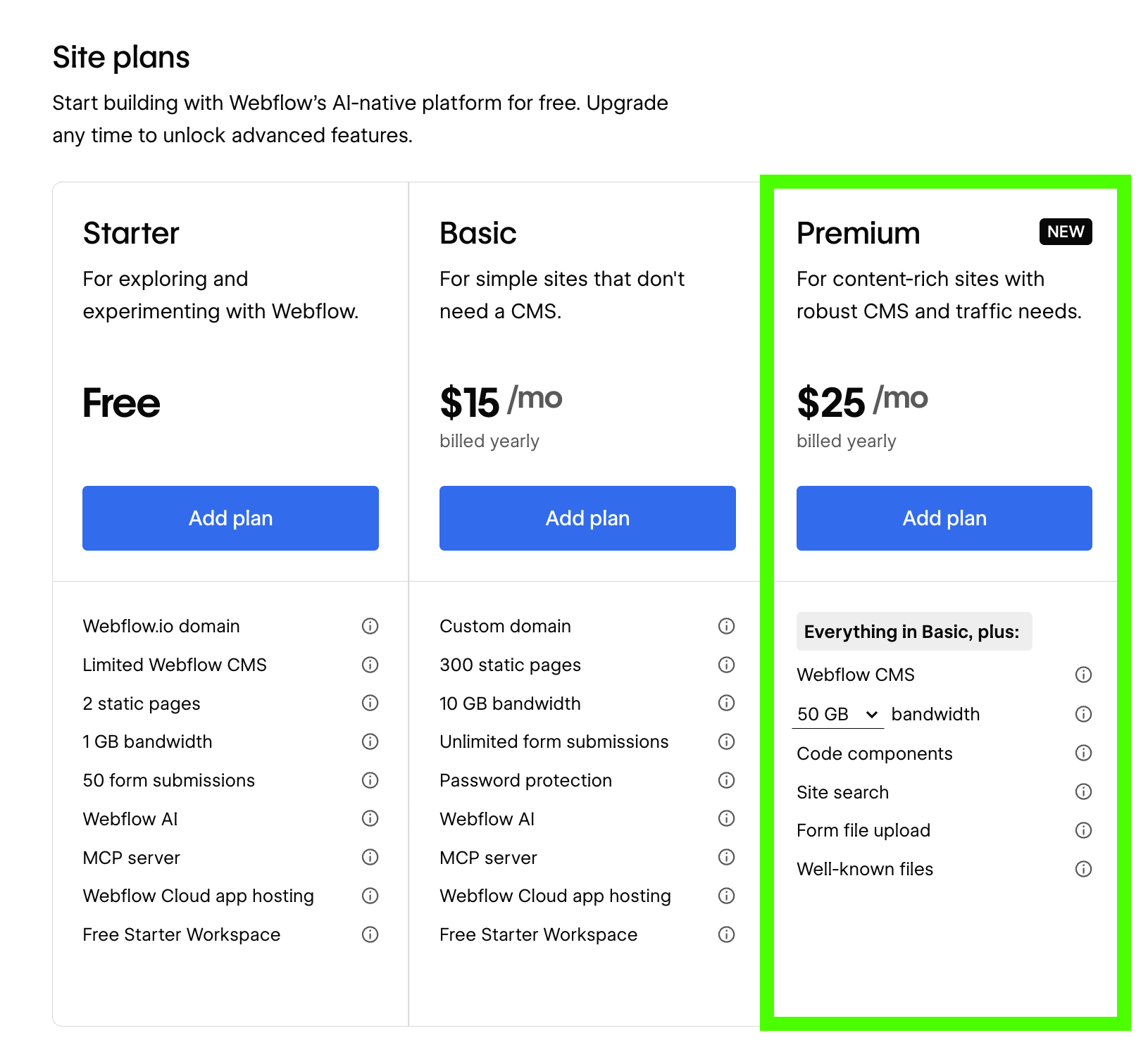
In order to publish your site on a custom domain, you must purchase a Webflow plan. Due to the requirements above, you must choose one of the following options:
Premium
20,000 CMS items (total of products, categories & variant options combined + any other items like blog posts, etc.)
40 CMS collections (CartGenie uses 3 collections)
Team
Enterprise
The “Basic” plan doesn’t have any CMS collections, which makes it incompatible for use with CartGenie.

If you don’t want to publish your site on a custom domain yet, you can use a free webflow.io domain instead!
However, it is important to note that Webflow changes the abilities of free site plans depending on your Webflow workspace plan. These are divided into 2 groups: “For Freelancers & agencies” or “For Teams”. Each of these groups has their own workspace plans with their own abilities.
(We know… its confusing…)
The paid Teams workspace plans gives you the most flexibility on building free webflow.io test sites. See comparisons below:
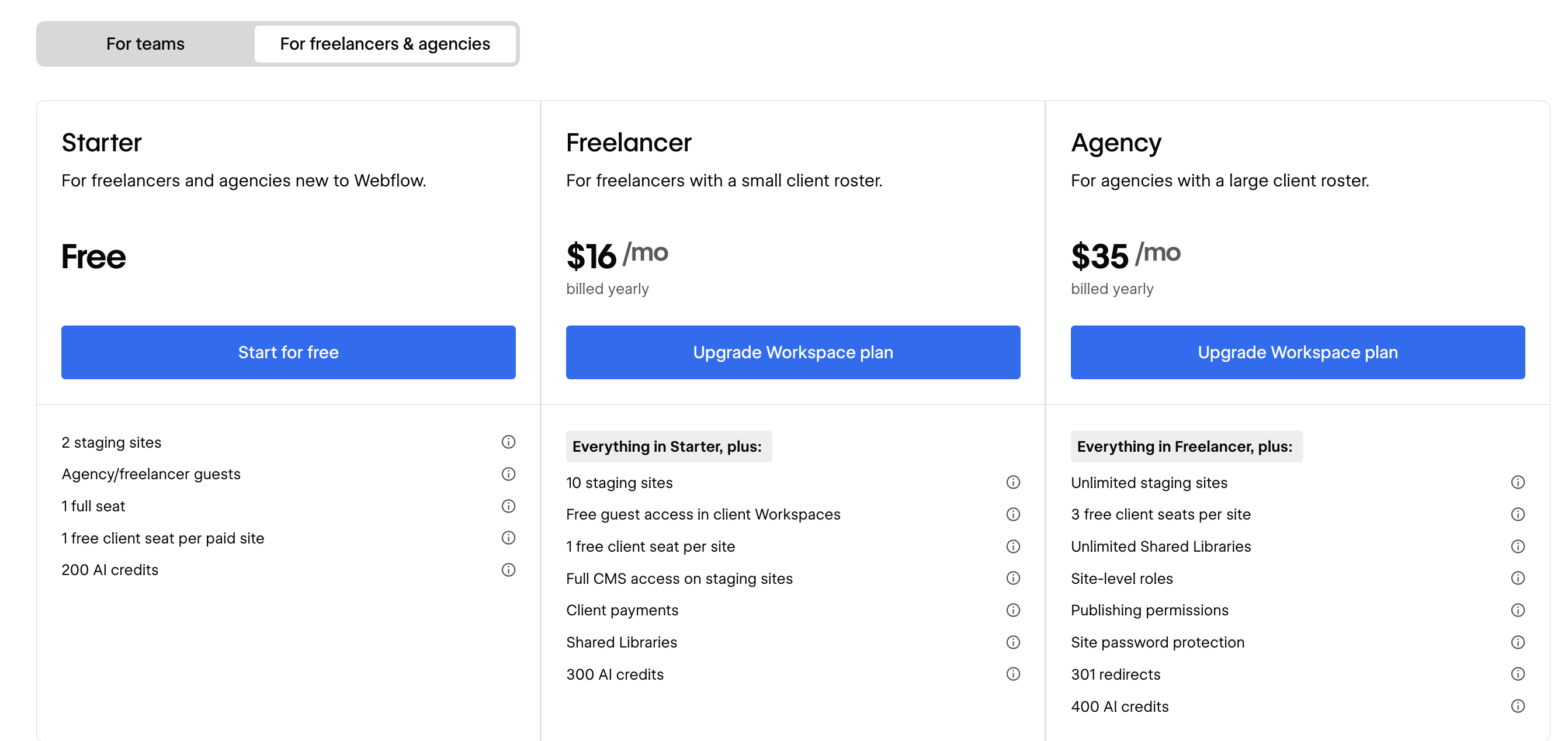
It appears that free staging sites on these plans all have the same basic features as the site plans above. That means that you will be limited to 2 pages and 50 CMS items. While technically this should work, it would mean you wouldn’t have a homepage (your 2 pages would be checkout and confirmation), and you would be required to navigate directly to a product page to test CartGenie.
Starter
2 free sites
2 pages / free site (CartGenie uses 2 for checkout & confirmation page + 1 for homepage, etc.)
Freelancer
10 free sites
300 pages / free site
Agency
Unlimited free sites
300 pages / free site
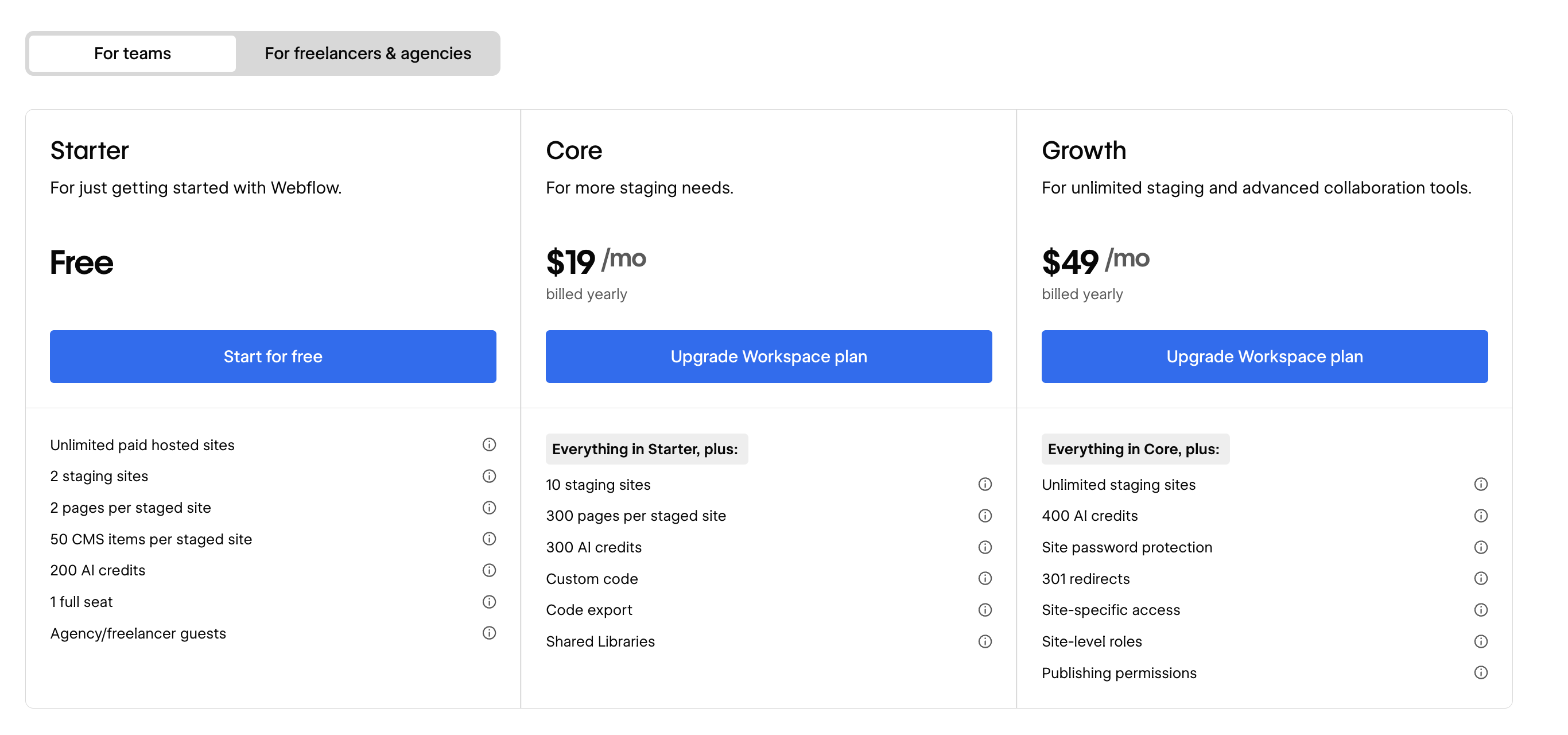
The free Teams plan has the same limitations as the freelancers & agencies plans above (limited page space). The paid plans give you much more flexibility here for testing on a free webflow.io domain.
Starter
2 free sites
2 pages / free site (CartGenie uses 2 for checkout & confirmation page + 1 for homepage, etc.)
Core
10 free sites
300 pages / free site
Growth
Unlimited free sites
300 pages / free site