
Offering free shipping once customers reach a minimum order amount is a great way to increase average order value. With CartGenie, you can set this up using a Price-Based Shipping Method.
Steps to Set Up Free Shipping
Go to CartGenie Settings > Shipping and create a new price-based shipping method in a zone or edit an existing price-based method.
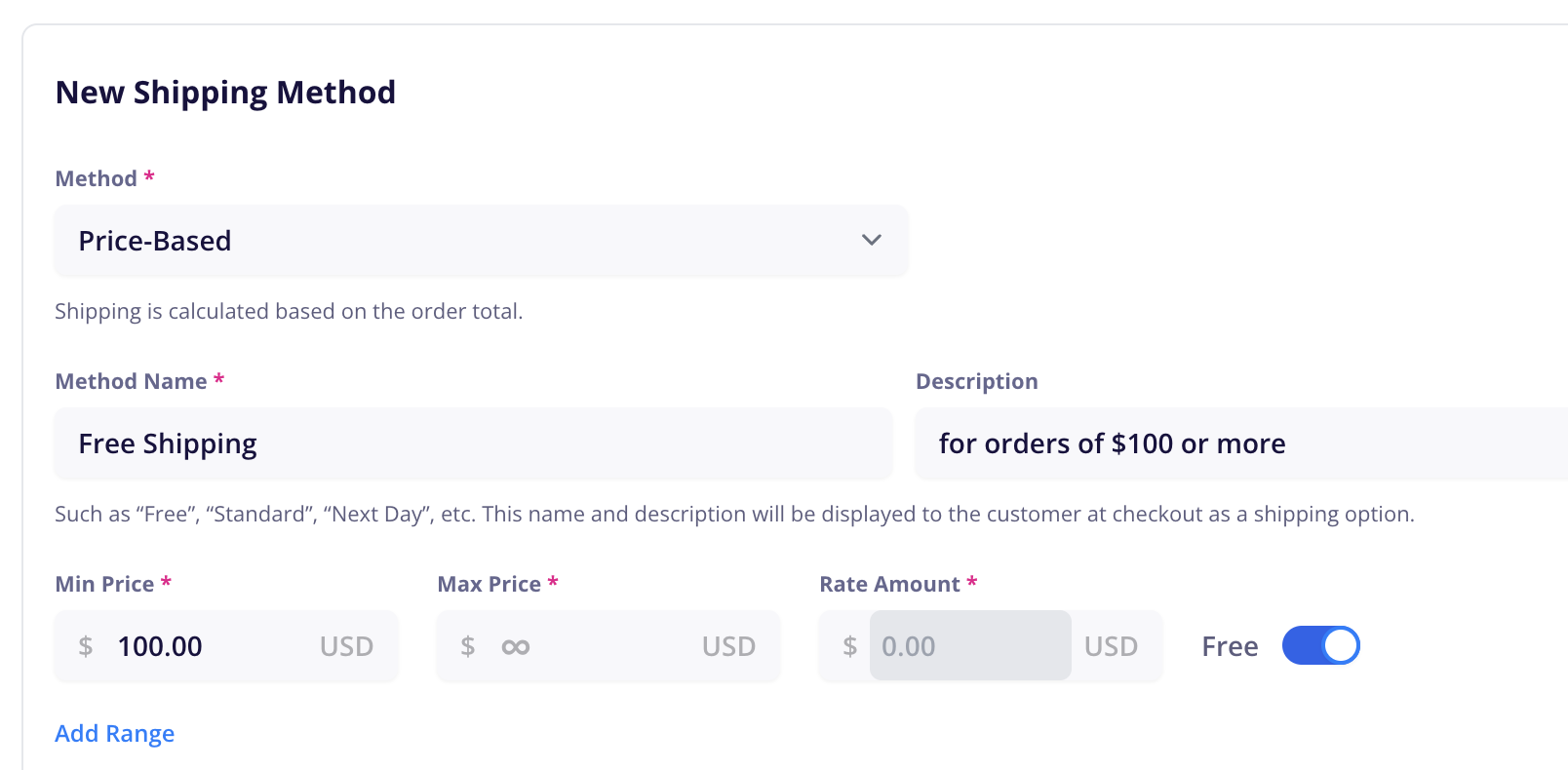
Go to Shipping SettingsA Price-Based method tells CartGenie to calculate shipping based on the total order amount. You can use set the shipping rate to charge for specific order total ranges.
Name Your Method something like Free Shipping and add a description if you wish.
Set the price range
Min Price: Enter the order total required to qualify. Example: $100.00
Max Price: Leave as ∞ (infinity) to apply free shipping to any order over your minimum amount.
Set the Rate Amount to FREE.
Save your method and the zone!
At checkout, customers with orders over $100 will automatically see and be able to select the Free Shipping option.
