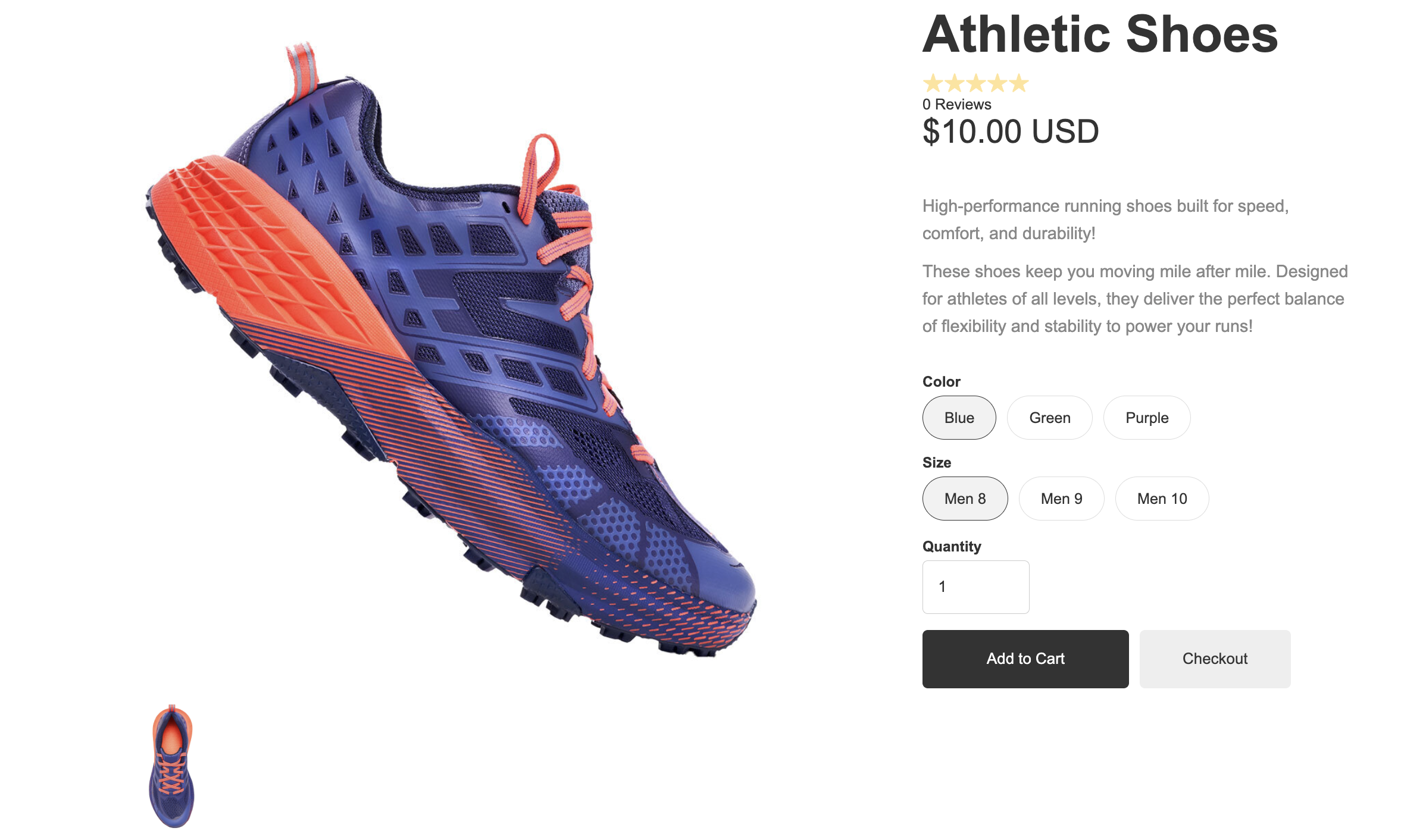
CartGenie makes it fast and easy to apply unique images to each of your variants with our Smart Variant Image Uploader. This feature allows you to add an image to each option value in a set, which will be applied to all variants with that option value.
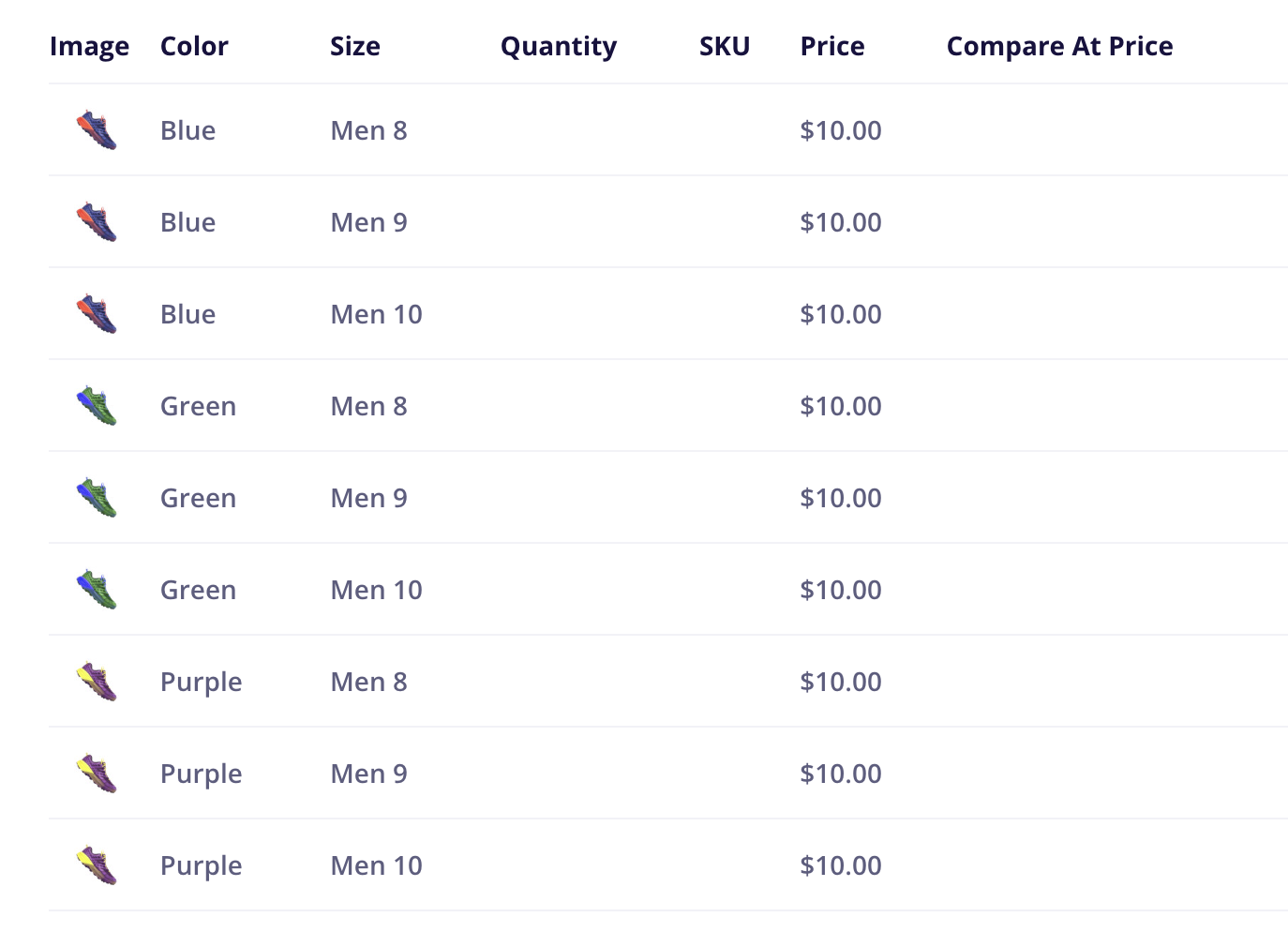
Example:
You are selling an athletic shoe
Option Set 1: Colors (Blue, Green, Purple)
Option Set 2: Sizes (Men 8, Men 9, Men 10, Women 9, Women 10, Women 11)
If you enable the Smart Uploader on your color set, you can upload a unique image for blue, green, and purple and it will be applied to all variants with these values. So for example… the Blue / Men 8, Blue / Men 9 and Blue / Men 10 variants will all contain the blue image.
When creating or editing an option set in CartGenie, you will see a toggle called “Smart Variant Image Uploader”. Enabling this toggle will allow you to use this option set to auto-fill variant images.
Go to Products
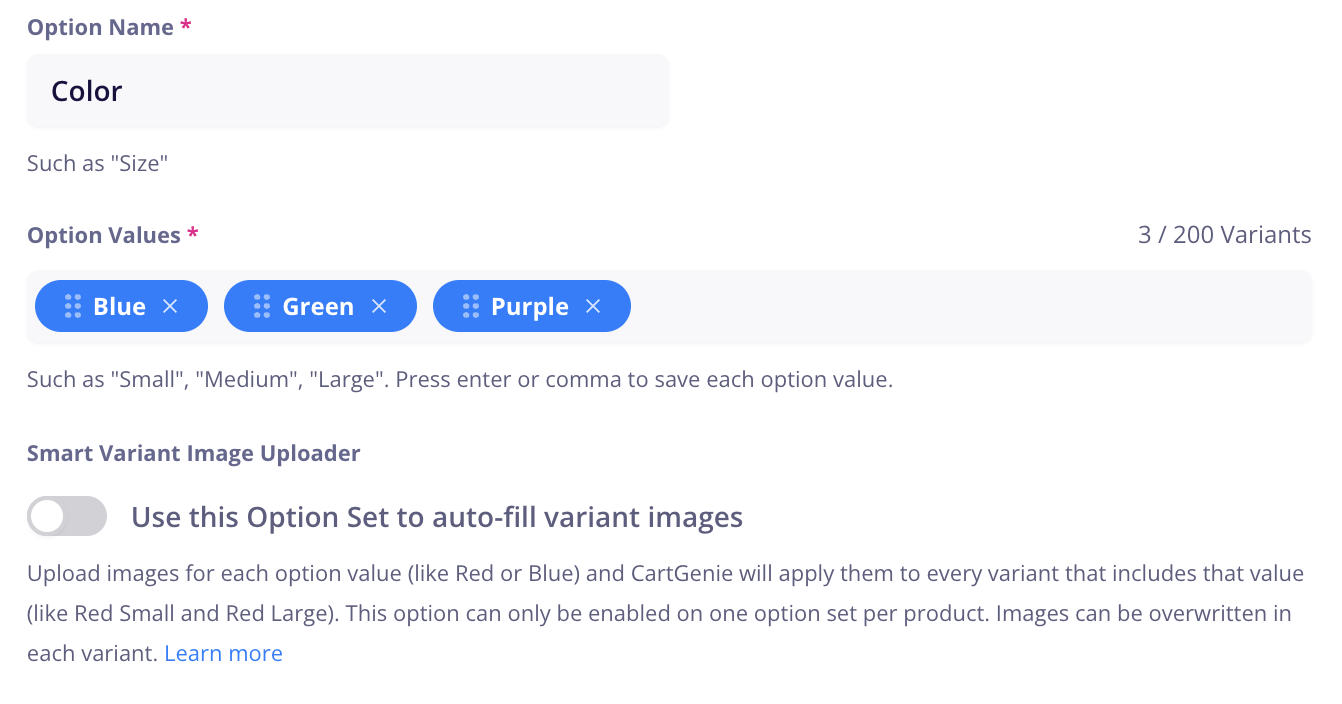
Once enabled, you will now see a dropdown for each option value.
Expand each option and upload your main image and extra images for each value.
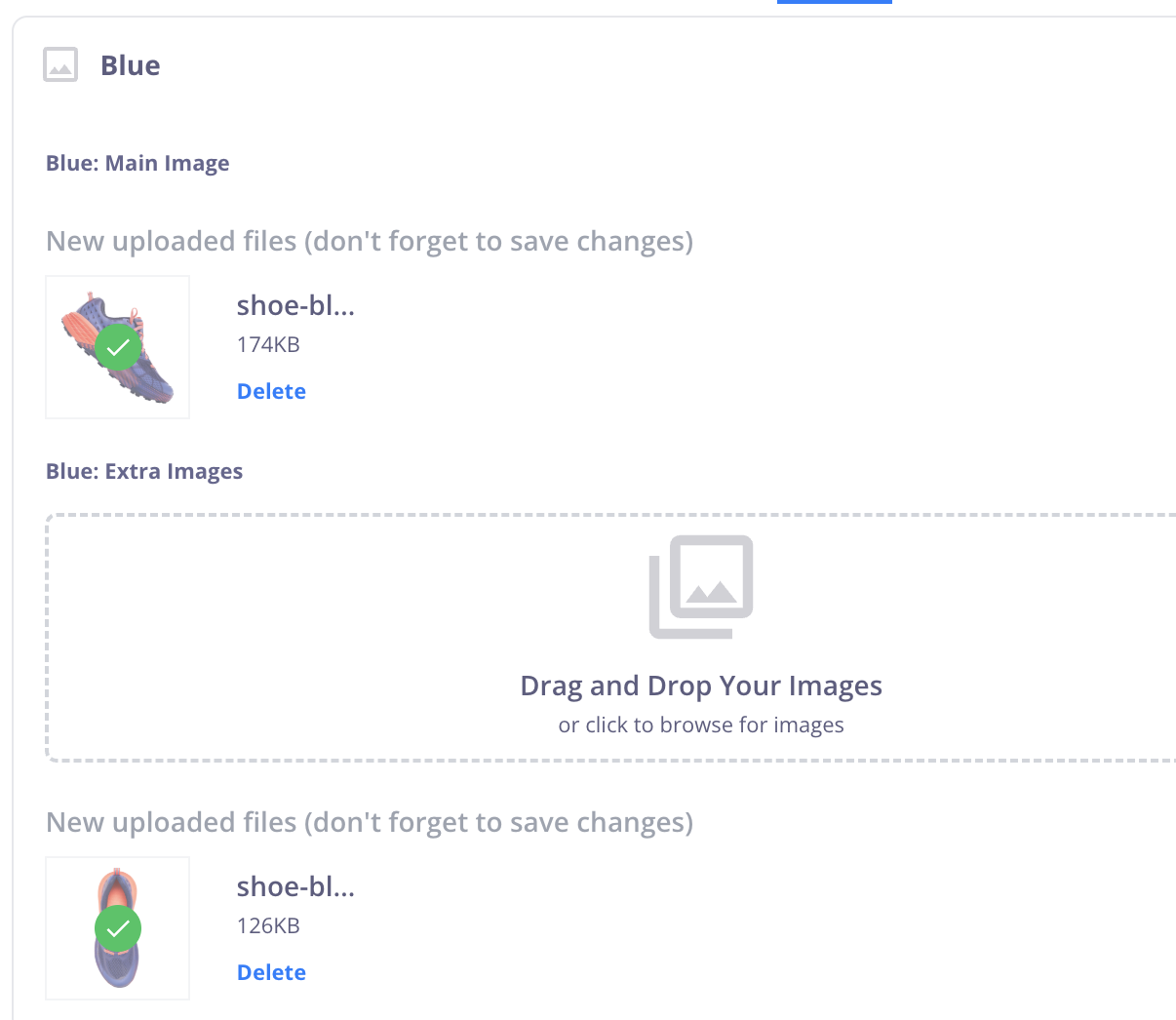
Once done for each, click “Create” (or Save) on the option set.
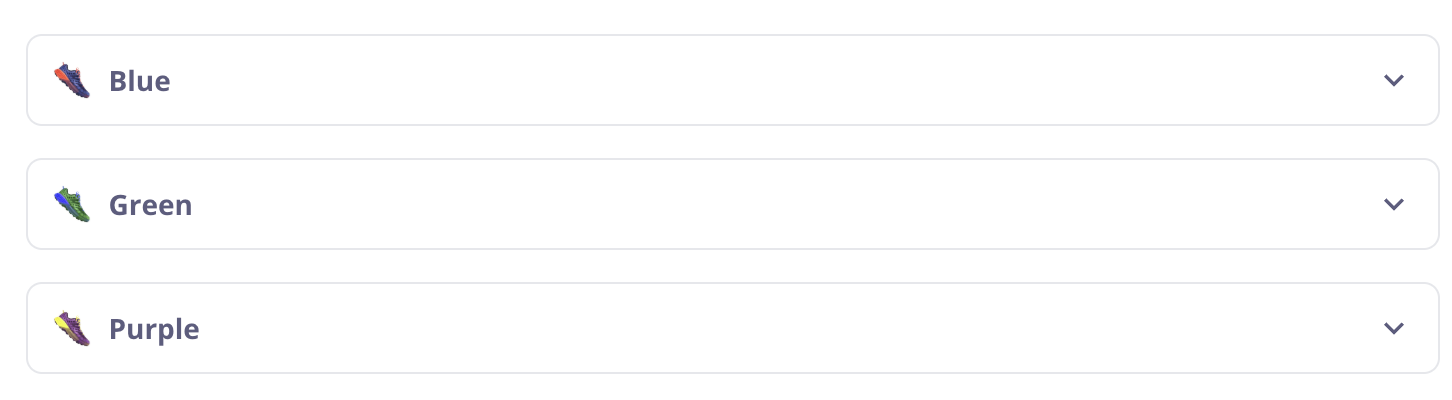
This will automatically apply these smart main and extra images to all variants with that option value.
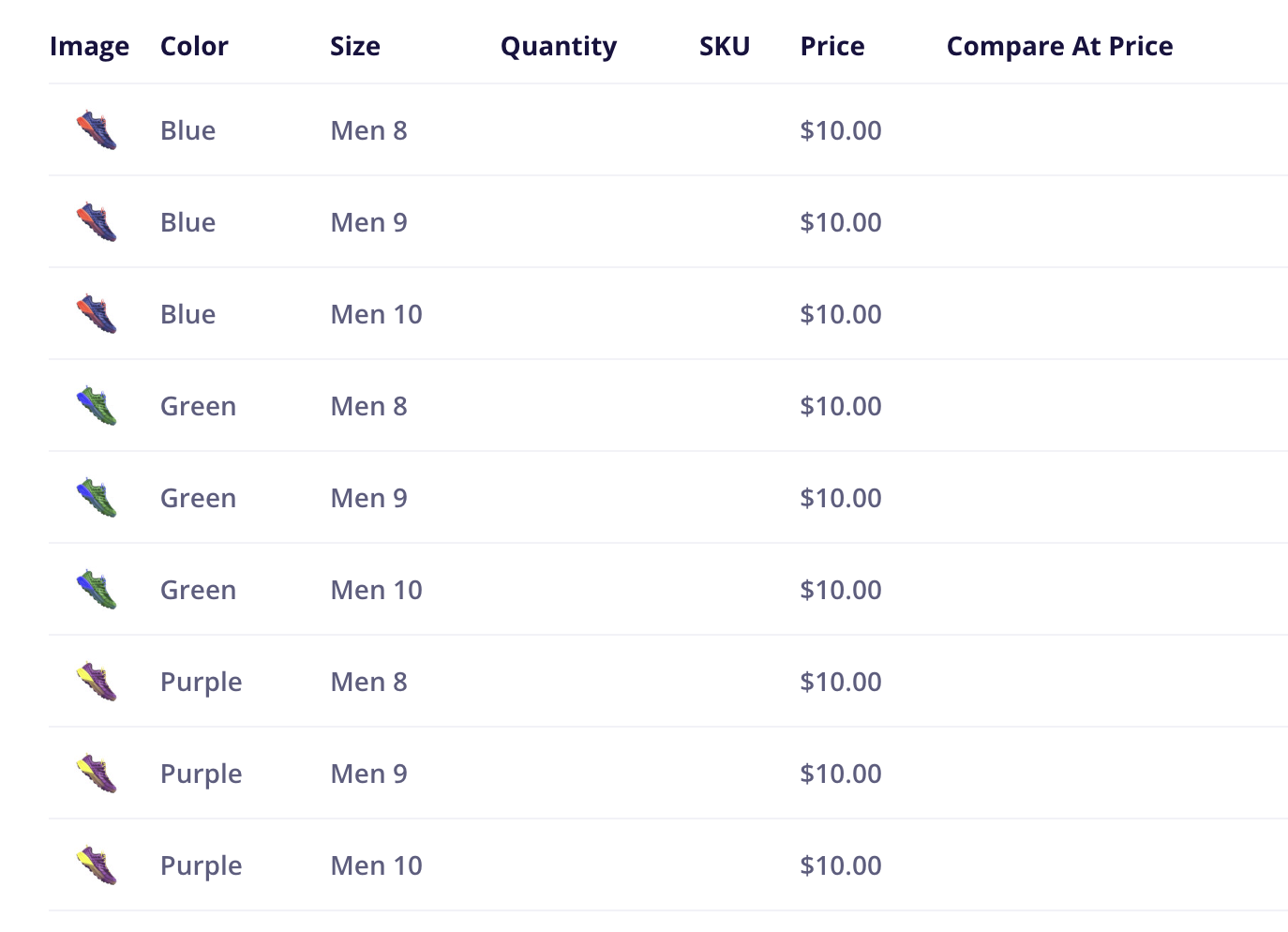
By default, CartGenie will automatically change the image on the live product page when the smart image set is selected. This allows a more immediate and responsive feel to the page as the customer can immediately see the selected option.

However, if you would like to disable this behavior, you can turn off the toggle named “Immediately change image on product page if smart value is selected”.
Disabling this toggle will mean that the product image will not update until all option set values for a product are selected by the customer.
If your smart option set images are correct for all your variant images, you can skip this step!
But if you might need to add or remove images for individual variants, you can still do this and override the smart images.
If you open up an individual variant, you will now see a low opacity main image and extra image from your smart uploader.
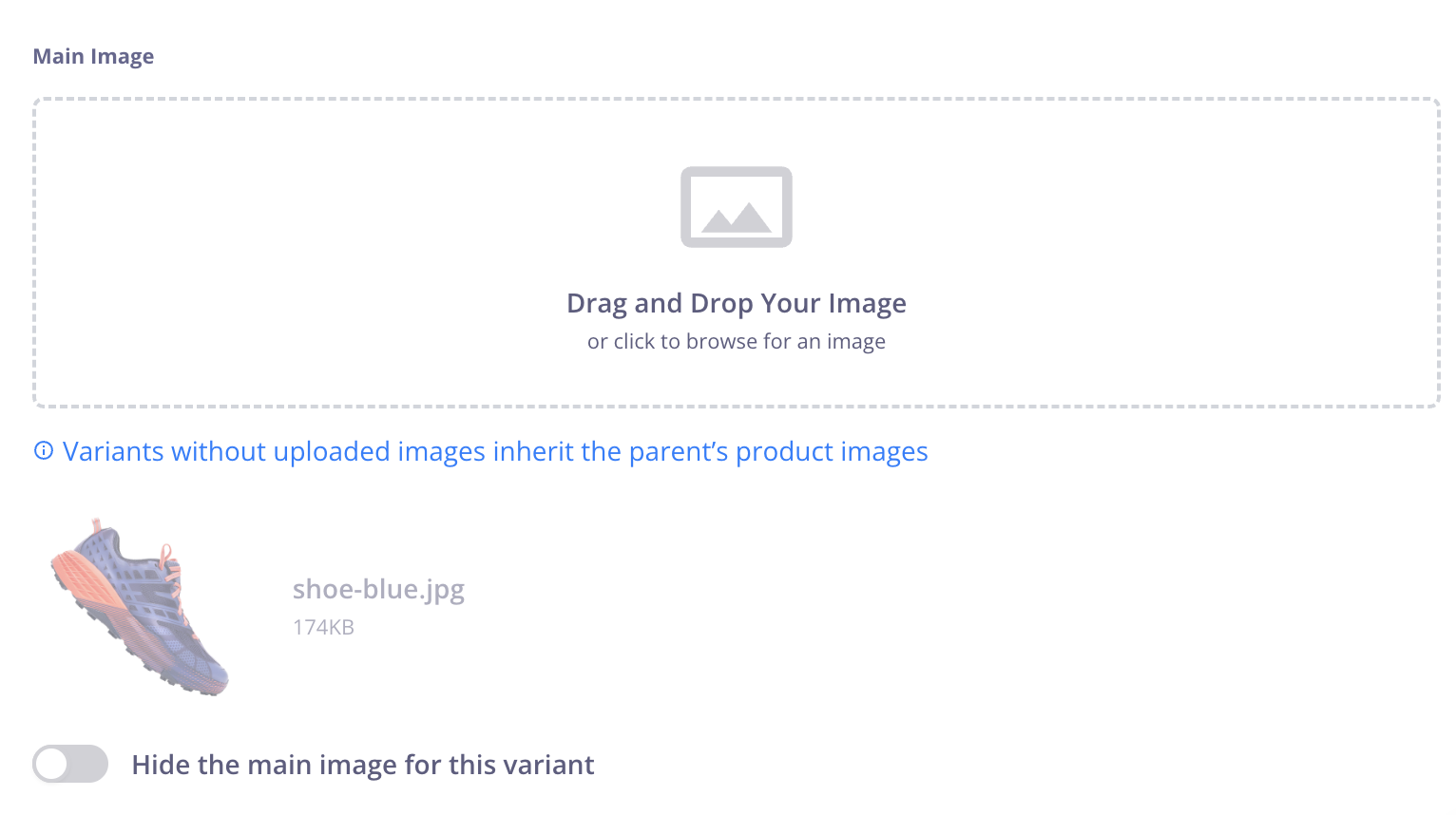
Any image you upload in these slots will override the smart image. So if the (low opacity) smart image does not work for that variant, you can easily upload your preferred image instead.
You also have two toggles to Hide the main image for this variant and a toggle to Hide all extra images for this variant. If any of these are enabled, it will hide that image from the front-end of your site.
Save any changes to variants and then publish your product.
You should now see the correct color image for each variant you select!