This can be very useful if you’re collecting custom information at checkout or want to make any other optional field (such as phone number) required at checkout.
Collect custom information at checkout
Easily collect personalized information at checkout such as notes, gift messages, tax IDs, etc.
How to Make Any Optional Checkout Field Required
In Webflow, select your checkout field (such as input, textarea, radio, checkbox, etc.) and add a new custom attribute to it.
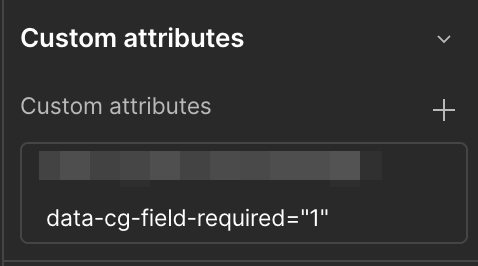
Go to the Layer Settings tab in Webflow and click the + icon in the Custom Attributes section.

Enter these values for the attribute:
Name:
data-cg-field-requiredValue:
1When done, the custom attribute should look like this:
Be sure to publish your site again to make the changes live.
Error Messages for Required Fields
If a customer doesn’t fill out this field before pressing the Complete Purchase button, then CartGenie will show an error message letting them know it is required.
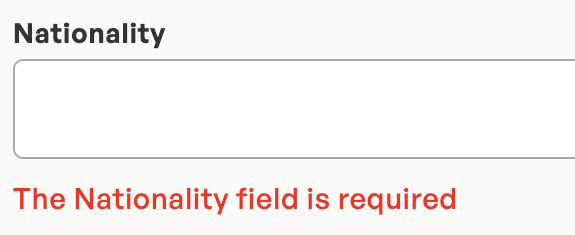
CartGenie uses the following cascading labels for the field name displayed to the customer so be sure they are clear and make sense to the customer.
data-cg-meta: This is the field name from a custom info field
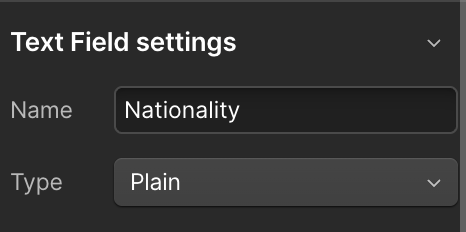
name: found in the layer settings panel