CartGenie has a built-in feature that validates all customer shipping addresses at checkout. This ensures that you are never sending an order to the wrong address, which helps prevent upset customers & incurring extra shipping costs.
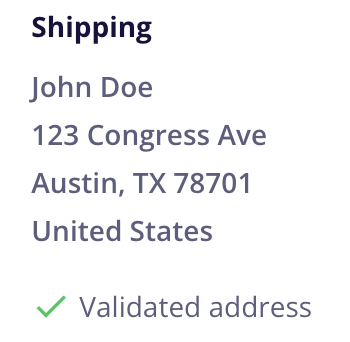
CartGenie was able to verify that this address is valid according to our database.
This means the customer either: (1) entered the address correctly themselves at checkout or (2) selected a suggested address from the address verification box.
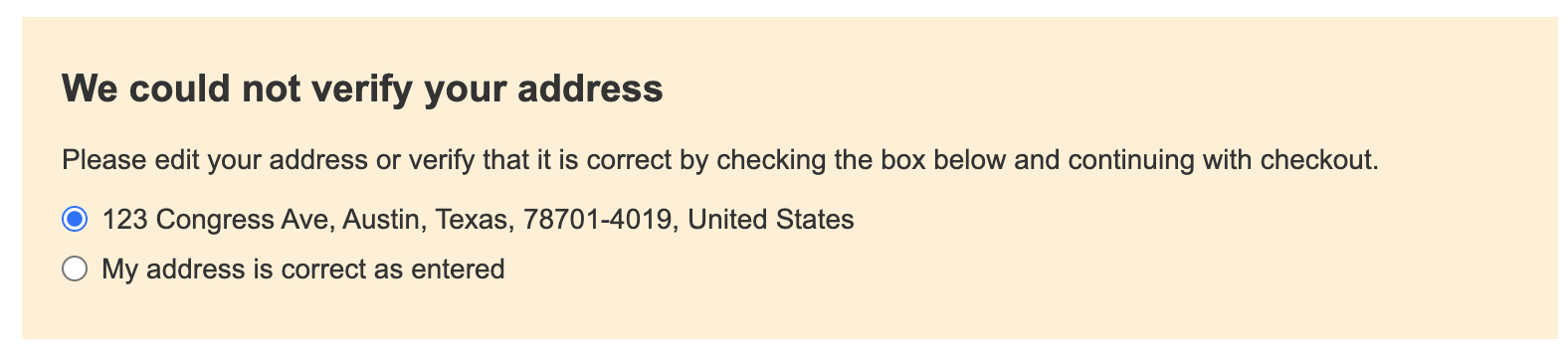
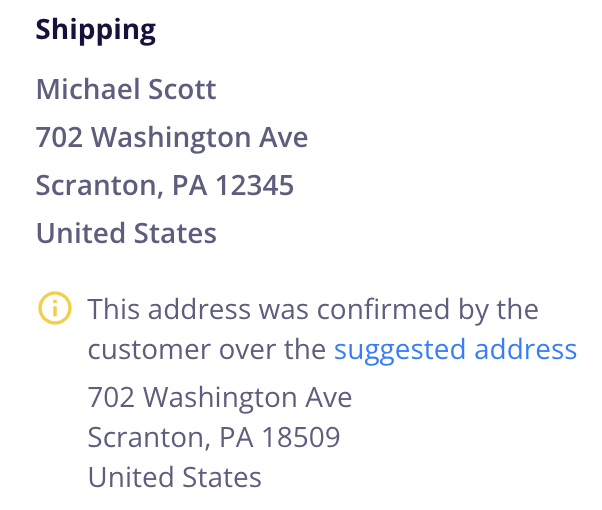
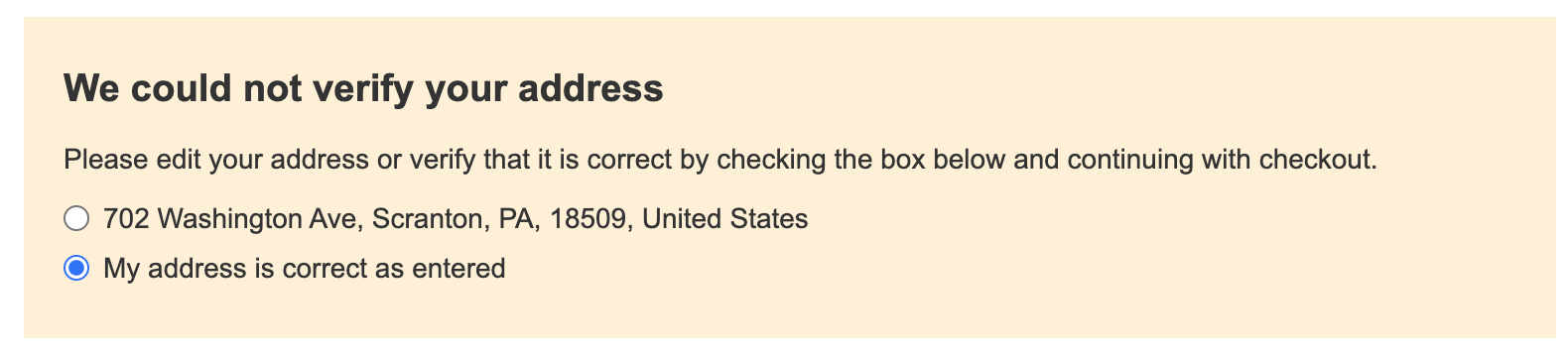
CartGenie was unable to verify that the address was valid, but the customer manually confirmed it was correct at checkout.
This means the customer: entered their address at checkout and we displayed the box asking for verification (which may or may not have included a suggested address depending on if it was close enough to suggest one). The customer then selected the option stating that the address they entered was correct.
If our database was able to suggest an address (but it was not selected by the customer), we will display the suggested address on the order detail page for your reference. It is up to you to decide whether to use the entered address or the suggested one.
When a customer is checking out on your site for a shippable product and they enter their shipping address, we immediately send it to our database to check it against our known address list.
If the address is valid, we let the customer continue to check out with no interruptions. We then display the validated address indicator on the order page.
If the address is unable to be confirmed, we display a box that allows the customer to select a suggested valid address or manually confirm that their entered address is correct. The suggested address only shows up if we find a very similar address in our database.
We decided to use this manual confirmation system instead of an auto-fill address box (like some other platforms use) to ensure that your customers can still check out with any address they want even if we may not have it in our database. We feel this allows for the most flexibility, while still validating as many addresses as possible.
CartGenie’s address validation covers 40 countries and territories! Here is the full list that we support:
Argentina
Austria
Australia
Belgium
Bulgaria
Brazil
Canada
Switzerland
Chile
Colombia
Czechia
Germany
Denmark
Estonia
Spain
Finland
France
United Kingdom
Croatia
Hungary
Ireland
India
Italy
Japan
Lithuania
Luxembourg
Latvia
Mexico
Malaysia
Netherlands
Norway
New Zealand
Poland
Puerto Rico
Portugal
Sweden
Singapore
Slovenia
Slovakia
United States
If a customer enters a shipping address to a country that is not in the supported list above, then we simply ignore the validation attempt and allow the customer to continue checking out.
The customer will not see a validation popup to confirm their address. They can simply checkout as they normally would.
In the order dashboard, you will not see a “confirmed” nor a “valid address” indicator next to their shipping address.
Yes!
If your business is located in a country that Google doesn’t support with address validation, or if you’d simply prefer to disable it – you can do so in CartGenie settings.
Go to Settings > Shipping and scroll down to find the Address Validation section.
By default, this toggle is on, meaning all addresses will be validated by Google.

If you disable this toggle (grey), then customer addresses will not be checked.

CartGenie is not liable for any issues, losses, or delays resulting from incorrect shipping addresses, whether entered and confirmed by the customer or validated through our address verification system. It is the sole responsibility of the customer to ensure the accuracy and completeness of all address information provided.