CartGenie supports Zip as a buy now, pay later (BNPL) option at checkout through Google Pay. When enabled, eligible customers can split their purchase into four or eight equal installments paid every two weeks, while you receive the full payment upfront.
Zip is available as part of the Google Pay checkout experience, which is processed through Stripe.

To add Zip as a checkout option, you need to integrate Stripe. Integrating with Stripe will also enable Google Pay Express at checkout. Zip is offered through Google Pay’s express payment portal.
Integrating CartGenie with Stripe
Use Stripe as a payment gateway at checkout
Be sure that after integrating with Stripe, your Payment Gateways page has Google Pay enabled and that your checkout page has the “Express Payment” component added to it (if you’re using our default checkout page template, it will already be in place).
Adding express payment options to your store
Speed up the checkout process for your customers
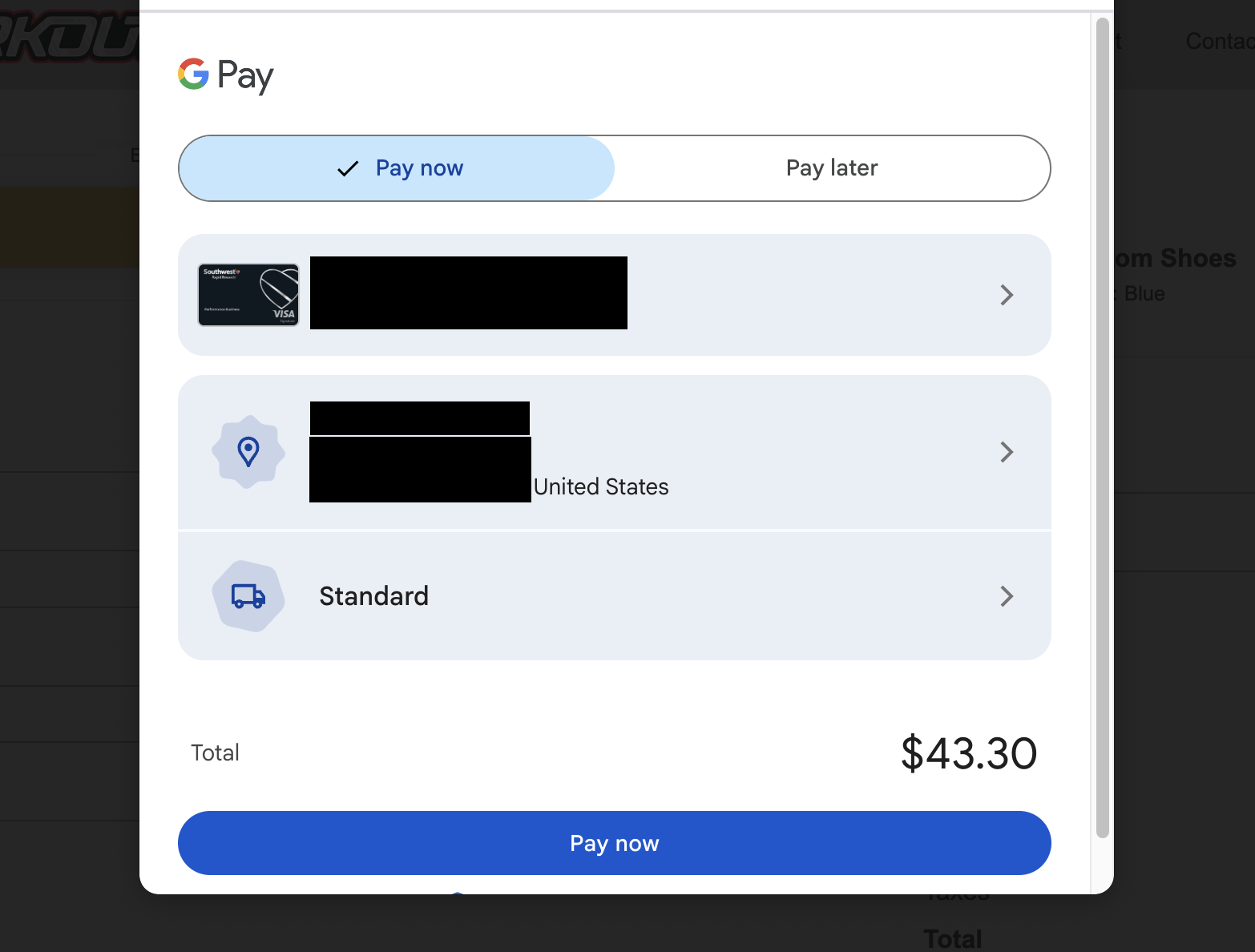
When a customer taps the Google Pay express button on a qualifying order, they'll see a popup with either “Pay Now” or “Pay Later” tabs.
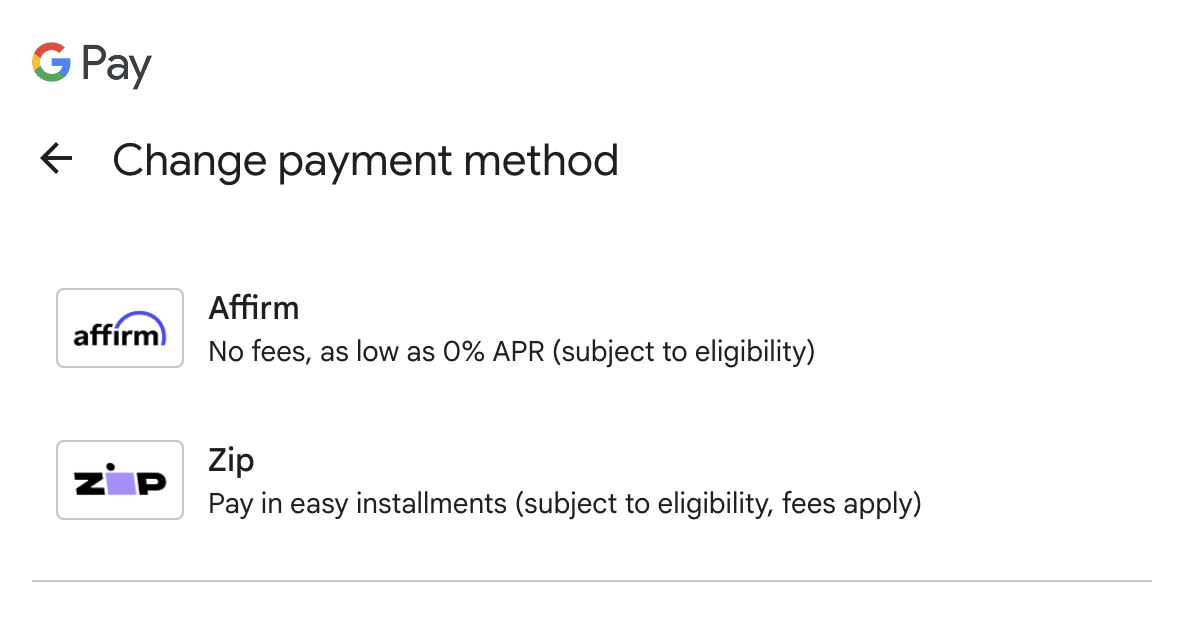
If they select the Pay Later tab, they can choose to use Affirm or Zip.
New customers can create an account inside the popup without leaving checkout. They'll be guided through a short eligibility check within the Google Pay flow. Approved customers can then choose a payment plan and complete their purchase.
Customers who already have a Zip account are recognized automatically.

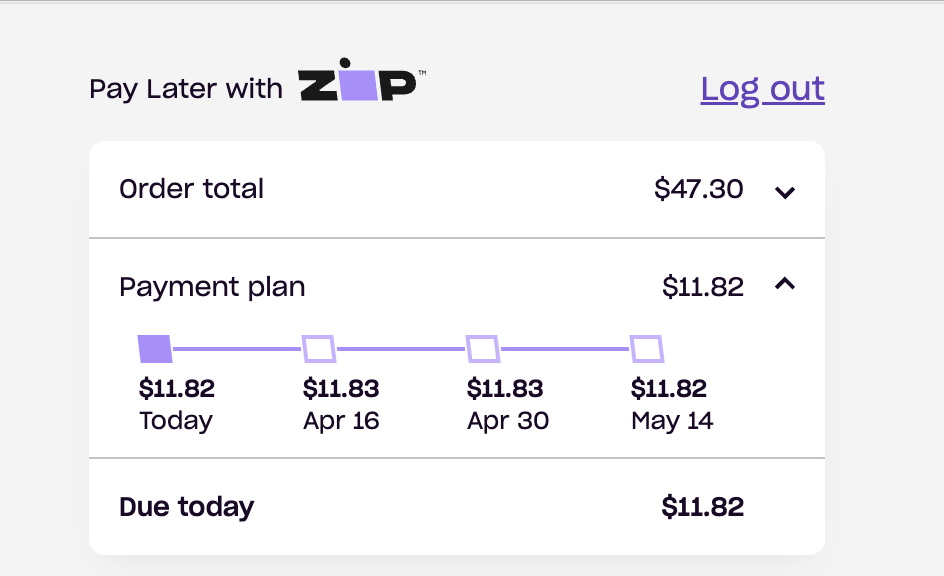
After selecting their preferred payment plan, the customer is redirected to the confirmation page and the order is complete!
Zip through Google Pay is available when all of the following are true:
Currency: The transaction is in USD.
Order minimum: The cart total is at least $35.
Order maximum: The cart total does not exceed $1,200.
Customer location: The customer is located in the United States.
Customer eligibility: Zip runs its own approval check on each transaction. Eligibility is based on factors like the customer's repayment history, account activity, and risk profile. This check is handled entirely by Zip, not by CartGenie or Google Pay. Zip does not perform a hard credit pull.
Google Pay Eligibility: The customer is signed into their Google account and is using a Google browser such as Chrome.
Zip may offer one or both of the following plans depending on the order amount and the customer's profile. All Zip plans follow a fixed biweekly repayment schedule — the first payment is always due at checkout.
Pay in 4 — The customer splits their purchase into four equal installments paid every two weeks over six weeks. This is Zip's standard plan and the most commonly offered option through Google Pay.
Pay in 8 — For larger purchases, Zip may offer eight equal installments paid every two weeks over approximately fourteen weeks. This option is typically available on orders of $200 or more.
Unlike some BNPL providers, Zip charges fees that customers will see during checkout:
Origination fee: Zip adds an origination fee to each purchase. Through Google Pay, this fee typically ranges from $0 to $7.50 depending on the order amount and plan selected. The fee is disclosed upfront before the customer confirms their purchase.
Late fee: If a customer misses a scheduled payment, Zip charges a late fee of up to $7, depending on the customer's state of residence.
Rescheduling fee: Customers can reschedule one payment per calendar month for free. Additional reschedules within the same month incur a $2 fee.
All fees and the total cost of the purchase are shown to the customer in a Truth in Lending Disclosure before they complete checkout.
Zip transactions are processed as standard Visa card payments using a virtual card number issued through the Visa network. This means:
You receive the full purchase amount upfront, just like a regular card transaction.
Zip assumes the financing risk and handles all repayment collection from the customer.
Standard interchange and Stripe processing fees apply. Google Pay does not charge any additional fees for BNPL transactions.
Refunds follow your existing refund process. When a refund is issued, Zip cancels any remaining scheduled installments and refunds amounts the customer has already paid. For questions about a customer's payment plan after a refund, direct them to Zip support.
BNPL transactions will include the provider name (e.g., "Zip") in the payment method description within your Stripe dashboard, so you can identify them easily.
Can I choose which BNPL providers appear at checkout? No. Google Pay controls which providers are shown based on the customer's eligibility and the order details. You cannot limit or select specific BNPL providers. If you wish to not offer Zip as an option, you can remove the Google Pay button from the express payment component or remove the component entirely.
Do I need a separate agreement with Zip? No. Zip is surfaced through Google Pay as part of your existing Stripe integration. There is no additional merchant onboarding or contract required with Zip.
Will customers be surprised by the origination fee? The fee is always disclosed in a Truth in Lending Disclosure before the customer finalizes their purchase. They will see the exact fee amount, total cost, and APR before committing. However, because other BNPL providers like Affirm do not charge origination fees on their pay-in-4 plans, some customers may prefer Affirm when both options are available.
What if a customer disputes a Zip transaction? Disputes on BNPL transactions are handled the same way as any other card dispute through Stripe. Because Zip issues a virtual Visa card for each transaction, the standard chargeback process applies.
Does Zip affect a customer's credit score? Zip does not perform a hard credit check when approving customers. However, if a customer's account is sent to collections due to missed payments, it could impact their credit score.
